
Turbocharging Lumos: How We Achieved a 7x Performance Boost
Feb 26, 2025
Lumos’ pages were grinding to a halt at scale. Through strategic optimizations, we unlocked a 7x speed boost across our most demanding queries.
Last Updated
Mar 2, 2026


Lumos gives Information and Security teams unprecedented visibility into their companies' application data through interactive table views and powerful filtering capabilities. But as our customers' datasets grew into the millions of rows, these features began pushing our infrastructure to its limits, impacting both performance and stability.
For instance, Lumos stores user data across several SQL tables. This architecture maintains proper normalization, but poses performance challenges for frequently-accessed summary views. Our Accounts page, for example, required six JOINs just to materialize the complete user data. Furthermore, these JOINs used unSARGable conditions, preventing MySQL from leveraging indexes to drive down query times. For our largest customers with 100s of thousands of accounts, this often meant page load times of > 30 seconds — well beyond acceptable performance thresholds!
This latency was hindering the IT teams' ability to manage their organizations. Day-to-day operations require quick access to user data: provisioning new employees, auditing access permissions, and analyzing application spend. Every 30-seconds IT administrators spent watching loading screens meant less time supporting their workforce.
It was clear to us that the patterns we used for loading our pages wouldn’t scale much further. We needed a step-change in performance—targeting p99 load times of 5s for critical data and 10s for pages overall. We launched an initiative to:
- restructure our data loading strategy to prioritize critical information—showing admins essential user data immediately while loading detailed analytics in the background
- implement proven performance optimizations across our key Admin pages, dramatically reducing wait times for our customers.
Reframing our data hierarchy
Previously, our approach was simple but inefficient: load everything at once. Table rows, counts, filters, and all supporting data would load on initial page render. This strategy made sense for smaller datasets—pay a small upfront cost for smoother subsequent interactions.
But the increasing scale of data we serve to our users meant we needed to start prioritizing critical information first, focusing on what administrators need most urgently.
We asked ourselves: What's the first thing an IT admin looks for when they land on a page? How could we deliver that instantly while ensuring the rest of their workflow remains fluid?
To answer that question, we created a three-tier hierarchy for page content, which informed our prioritization efforts.
- Critical Data (T1, Instant Load)
- Core table data (usernames, email addresses)
- Essential counts and metrics
- Primary action buttons
- Supporting Information (T2, Fast Follow)
- Custom columns
- Detailed permission data
- Secondary metrics
- Extended Features (T3, Load on Request)
- Expanded views
- Filter options
- Advanced search capabilities

This hierarchy wasn't just an organizational tool—it shaped our optimization strategy. By prioritizing essential data and optimizing core queries, we achieved up to 7x faster load times on our most demanding pages. Let's dive into how we improved each tier.
Critical Data - up to 7x faster for tables
/accounts

To achieve these page load improvements, we:
1. Denormalized our core tables
Our first major win came from rethinking how we store account data. As mentioned earlier, viewing a company's accounts required joining across six different tables—fine for startups, but was causing 30-second load times for enterprise customers with millions of records.
We explored several options to improve query performance, including migrating to Opensearch, a database engine designed for search and analytics. However, we ultimately chose a simpler path: denormalizing the accounts data within MySQL. This approach was attractive because it plugged into our existing infrastructure for monitoring, schema management, and development without introducing any new tech.
After implementing our denormalization strategy, we received immediate positive feedback from large customers:
"I've noticed a big improvement in my experience with Lumos! It used to take a long time to load data, but now, I can interact much more smoothly, and the response time is way better.”— IT Engineering Tech Manager, Large Banking Customer
Opensearch offered potential performance gains, but we would have had to rebuild our entire operational framework, from monitoring pipelines to testing suites. Instead, we opted to measure MySQL’s performance with denormalized data before committing to a more complex solution.
# Before: Complex query with 6 joins
SELECT accounts.*
FROM accounts
INNER JOIN domain_apps /* + 5 more joins */
WHERE /* complex conditions */

# After: Simple denormalized query
SELECT account_info.*
FROM accounts_denormalized
WHERE domain_id = ? AND status = 'ACTIVE'
We coupled this change with some well-chosen indexes to bring our worst-case times for certain queries down even further, as we detail in the next section.
2. Added covering indexes to queries on denormalized data
Denormalization alone wasn't enough, however, given the volume of our data. We added covering indexes to our denormalized data tables, designed to match the actual query patterns of the page. These speed up read-heavy workloads by storing the data required for a specific query within the index, eliminating the need to access the underlying table.
Covering indexes are structured to include both the filtering and sorting columns, following the pattern:
INDEX(equality_conditions, range_conditions, ordering_columns)## Large query
SELECT
id,
account_id,
org_id,
app_id,
status,
display_name,
email,
last_seen_at,
source_type,
...
FROM accounts_denormalized WHERE app_is_hidden IS FALSE
AND is_excluded IS FALSE AND org_id = 9000
AND app_id IN (10000001) AND status IN ('ACTIVE', 'UNKOWN')
AND is_deleted IS FALSE AND configuration != 'IGNORE'
ORDER BY
CASE status
WHEN 'ACTIVE' THEN 1
WHEN 'INACTIVE' THEN 2
WHEN 'UNKNOWN' THEN 3
END,
source_type != 'SOURCE_OF_TRUTH',
account_id
LIMIT 50;We created an index using all the columns above, putting the filtering conditions first, then the ordering columns.
CREATE INDEX idx_accounts_denormalized_covering ON accounts_denormalized (
  -- filtering conditions first
  org_id,
  app_id,
  status,
  app_is_hidden,
  is_excluded,
  is_deleted,
  configuration,
  -- Then columns needed for ORDER BY
  source_type,
  external_id
)
The mere addition of this index sped up the time taken for a representative SQL query from 2s to a mere 100ms! We then employed this strategy across our tables, with the biggest gains (up to 4x improvement in p99 times) seen in queries that previously required sorting large result sets. The covering indexes were effective for pagination queries that combine filtering and sorting.

3. Pre-computed expensive count operations
While exact counts are crucial for our admin pages (like showing the number of users for a given application), computing them in real-time was becoming expensive as our customer data grew. We needed a way to pre-compute these counts without:
- Slowing down core operations (like account deletion)
- Risking data drift
- Complicating our application logic
Our solution: an asset-based denormalization pipeline built on Dagster, a data orchestration platform for complex data pipelines. In this, we model both our source tables and denormalized count tables as software-defined assets, providing several benefits:
- Data is processed in atomic, independent partitions, making updates efficient and reliable
- Changes to source tables are automatically detected through sensors and observations, eliminating the need to track every update location in code
- Updates only run for specific partitions that need refreshing, preventing database overload during syncs
- Built-in monitoring catches any data drift early, triggering automated refresh
This infrastructure keeps our application logic clean and fast – the API layer simply reads from pre-computed tables while the pipeline handles all the complexity of maintaining accurate counts in the background. The approach worked exceptionally well for our slowest count queries, eliminating performance bottlenecks without compromising data accuracy or system stability.

An example of one such performance improvement for the counts on our Identities page:

Supporting Data - Staged Loading
Examining our page loads revealed that important but non-critical data—like custom columns and detailed permissions—was blocking our initial render. By restructuring our data fetching, we could show essential information immediately while loading enriched data in the background.
Here's how we implemented this on our Single App Accounts page:
Query Splitting
We previously used this query we previously used to fetch all the table data on the page at once:
# Before: Everything at once
GetAppAccountData {
        account {
	        id
	        username
	        email
	        permissions { .../* supporting information */ }
      }
}
Loading every permission for each account became a bottleneck for the initial page load, especially for larger customers. Breaking this into separate queries proved to be the key to faster load times. The next challenge, however, was presenting this staggered data elegantly to users.
Progressive Loading in Action
For the supporting information shown above, we implemented a lazy loading pattern for table columns, loading the critical data first, then lazy loading permissions and custom columns. Here’s how it looks on a typical accounts page:

Even with optimized loading, some secondary data was still too heavy for sub-5s loading. Our solution? Progressive disclosure in table rows. Rather than loading all permissions for each account and showing the count in the cell, we return just the first permission with an "and more" indicator, significantly reducing payload size while preserving essential context.

Clicking this indicator then triggers a separate, smaller query to fetch the complete permissions list for just that account:

Here's how the final query structure looked:
# After: Staged loading

# Initial Load: Core Data
GetAppAccountData {
		app {
	    account {
	        id
	        username
	        email
	    }
    }
}

# Fast Follow: Permissions
GetAppAccountPermissions {
    app {
        id
        account {
	        id
	        permissions(limit: 1) {}
        }
    }
}

# Load on request: Full Permissions List
GetAccountPermissions {
    account {
        id
        permissions {}
    }
}
This worked well with real usage patterns: admins typically only need detailed permissions for specific accounts they're investigating. Combining these approaches reduced both our primary and secondary data load time for both the /apps and /app/* pages, as we see below.
/apps
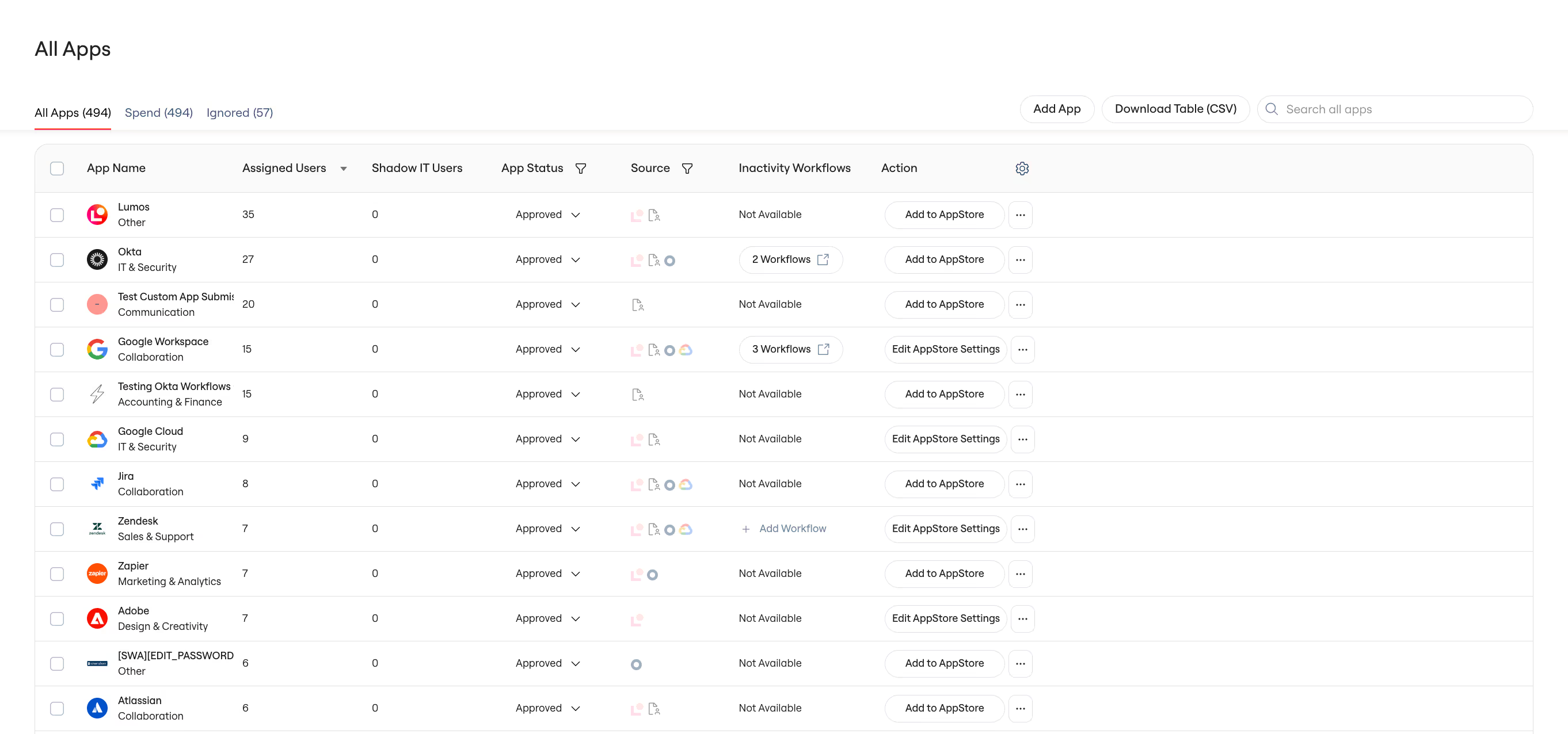

/apps/*


The Results
By rethinking our data hierarchy and implementing targeted optimizations at each tier, we've transformed our pages' performance:
- Initial page loads on our main accounts and identities pages decreased by as much as 7x.
- P99 query times dropped from >30s to 5s for our largest customers
More importantly, this new data hierarchy has given us a framework for scaling our pages sustainably. IT admins not only get faster page loads—they get a more intuitive experience that prioritizes their most critical workflows.
Technical Overview
Key optimizations by data hierarchy:
Critical Data (Tier 1)
- Table denormalization to eliminate complex JOINs
- Strategic indexing: INDEX(*(conditions), *(orderings))
- Asynchronous count computation with background refresh
Supporting Data (Tier 2 + 3)
- Query splitting for non-blocking data fetches
- Lazy loading patterns for custom columns
- Preview data with on-demand detailed views
Learnings
- Measure before migrating! Testing the performance of denormalizing our data tables in our existing MySQL instance saved us weeks of infrastructure work.
- Build up an intuitive understanding of user workflows to decide what to prioritize! You can obtain this from direct user observation, or by adding user monitoring to your observability stack. Breaking down admin activities into tiers (critical vs supporting data) helped us make better technical decisions about what to load and when.
- Progressive disclosure isn’t just a UX pattern - it’s also a powerful performance improvement technique. Showing information previews and deferring drill-down data loading helped us balance information density with speed.
- The fastest query is the one you don't make. Questioning if page data was truly necessary versus leftover from old product decisions helped us cut significant bloat with minimal effort.
What's Next
While these improvements have dramatically improved performance of our core table views, we're just getting started with our new architecture. We're working on:
- Extending these targeted improvements for initial page load to other pages in our app
- Applying our tiered loading pattern to more complex workflows
- Further optimizing our data models for scale
Have feedback about our web app performance? We'd love to hear from you.
Interested in tackling complex data problems at scale? We're building systems that help IT teams manage thousands of applications and millions of users. Check out our open roles.
Keep Reading



See Lumos in Action
Book a 1:1 demo with us and enable your IT and Security teams to achieve more.


