
12 Identity Access Management Best Practices for IT and Security Leaders
Jun 23, 2026
Explore 12 identity access management best practices for reducing risk, automating access, and simplifying audits. Build a stronger IAM program for 2026.

You just closed out a quarterly access review. Three weeks, four spreadsheets, and a string of follow-up emails to managers who signed off on everything without reading a line. Nothing about who can touch what really changed. And in 90 days, you'll run the whole thing again.
That's the quiet truth about most identity programs. The fundamentals are in place already. Single sign-on, multi-factor authentication, a role model someone built two reorgs ago. Yet the manual work never lets up, standing access keeps piling on, and audit prep still swallows whole weeks. So when a peer asks you for identity access management best practices, the honest answer is an identity and access management strategy built around running the program differently.
The fundamentals were never the problem. Scale is. In a single year your environment takes on dozens of new apps, hundreds of people who join, change roles, and leave, and a swarm of service accounts and machine identities that multiply faster than the humans and almost never get cleaned up. Every change mints new access, and manual reviews can't keep pace, so access only piles on. People collect permissions as they move around the org chart and rarely hand any back.
That's why the majority of breaches still trace to a credential someone shouldn't have had, or shouldn't have kept, and why answering a simple audit question takes weeks across your identity providers, cloud accounts, and local logins. None of that is a discipline failure on your part. It's the math of governing a moving target with tooling built for a snapshot. What follows are twelve best practices for identity access management that hold up when the target keeps moving, starting with the visibility you need first and building toward the autonomous governance that keeps it all current.
1. Discover every app, identity, and permission first
If you're working out how to implement identity and access management, start here, because you can't govern what you can't see, and visibility comes before everything else on this list. Most teams can name only a fraction of the apps in active use, and the rest, the shadow IT a department expensed without telling anyone, sits outside every control you've built. The same goes for identities and permissions. The accounts and entitlements you don't know about are the ones that breach you.
Build a single inventory of every app, every identity, human and machine, and every permission, with real usage data attached. That inventory turns "who has access to what" from a three-week investigation into a query. ChargePoint connected Lumos to more than 100 apps in under three months to build exactly that picture and surface the unused and orphaned accounts hiding in it.
And keep discovery running as a live feed. New apps land every week, accounts go dormant, and permissions drift, so the snapshot you took last quarter is already wrong. Usage data is what makes the inventory worth keeping, because knowing an account exists tells you far less than knowing nobody has touched it in ninety days. That's the line between a list you file away and a picture you can act on, the dormant admin account you revoke, the duplicate app you cut, the orphaned identity you close before someone else finds it. Once you can see the whole field, every other practice gets easier.
2. Make zero trust the default for every access request
The network edge stopped being your security boundary years ago, so stop trusting anything just because it sits inside it. Zero trust means one thing in practice. You verify every request on its merits, assume breach, and grant the least access that gets the work done, every time, for every identity.
This is the posture the rest of these practices enforce. Identity is where zero trust holds or falls apart, because once you've decided the network can't be trusted, the only thing left to check is who is asking and whether they should have it. Treat every login, every API call, and every agent action as something to verify before you trust it.
3. Enforce least privilege by default
Give every identity the minimum access it needs and nothing extra. Easy to say, brutal to sustain, because least privilege isn't a one-time setting. It decays the moment someone changes teams or a project wraps, so it only holds if something keeps pruning access back down to what's in use.
The reason least privilege fails isn't that people doubt it. It's that nobody has time to enforce it by hand. Access piles up because a manager clones permissions from whoever already has them, and once granted, those rights almost never get pulled back. Lumos breaks that cycle by pairing its discovery data with usage analytics that flag over-privileged accounts and right-size them on a schedule, so least privilege holds continuously in the background instead of slipping the day after you set it.
The payoff is a smaller blast radius. When a credential gets compromised, least privilege decides how much damage the attacker can do, and the difference between "one app" and "the whole environment" is whether you kept access tight. Audit usage, cut the standing permissions nobody touches, and keep access right-sized continuously so it never piles back up.
4. Require phishing-resistant MFA on every account
A second factor beats a lone password, and which one you choose matters more every year. SMS codes and push prompts get phished and fatigued daily, so attackers who've already stolen a password sail right through them.
Phishing-resistant methods like passkeys and hardware keys close that door, and they belong on every privileged account without exception. The metric here is simple. Stolen credentials are the leading way attackers get in, and phishing-resistant MFA is the cheapest control that takes the most common attack path off the table.
5. Centralize identity with SSO and federation
Every app you route through single sign-on is one fewer place a stale password lives, and one more place you can cut access in a single motion. That's the whole case for centralizing. Scattered local logins are how offboarded users keep access for months after they've gone.
Federation extends the same reach to partners and contractors without minting permanent accounts you'll forget to remove. Pull as many apps as you can under one identity provider, because the more access flows through a single front door, the faster you can grant it, review it, and shut it off.
6. Automate the joiner, mover, and leaver lifecycle
Tie every access change to the event that should trigger it, and let it fire on its own. That single shift, from ticket-driven access to event-driven access, is where IAM automation pays off fastest, pulling more manual work off your plate than any other practice on this list.
In practice, it looks like this: A new hire shows up in your HR app and their birthright access provisions before the first morning, no ticket required. Someone moves from sales to finance, and their old entitlements drop as the new ones land instead of stacking on top. A person leaves, and every account they touched closes the same day, including the local logins and privileged grants that usually slip through. SCIM, SAML, and OIDC carry the plumbing, so identity changes flow to your apps automatically rather than waiting in a queue.
The metric that moves first is ticket volume. Access requests and onboarding tasks make up a huge share of what lands on IT, and automating them hands the team back time for work that matters. Roku saw this directly with Lumos, cutting time-to-access by 98% and shrinking lifecycle policy management from several people down to one person for upkeep. The second metric is risk. Incompletely offboarded users are one of the most common findings in any audit, and event-driven deprovisioning is exactly what erases them.
7. Make access reviews continuous, not quarterly
The quarterly access review is one of the least useful rituals in security, and you already know it. Managers rubber-stamp pages of entitlements they don't recognize, the spreadsheet gets archived, and almost nothing changes. The fix is to make the review continuous, risk-ranked, and small enough that humans only judge what needs judgment.
Start with delta access reviews. Instead of re-certifying every entitlement from scratch each quarter, you show reviewers only what changed since the last pass. That alone cuts the volume sharply and makes each decision mean something. Layer on analytics that surface what a manager would never catch alone, like role anomalies, dangerous local or admin accounts, and Segregation of Duties violations. Auto-approve the birthright access everyone in a role is supposed to have, so attention goes to the exceptions.
This is the work autonomous identity platforms were built for, and the numbers show the gap. Pluralsight ran its reviews the old way, covering 20 apps and burning two months every quarter. After moving to Lumos, the team reviewed 200 apps in under two weeks per quarter. Same calendar, ten times the coverage, a fraction of the hours.
The metric here is review cycle time, and it feeds straight into audit readiness. When reviews run continuously and the trail is already assembled, you walk into a SOX or SOC 2 audit with answers instead of a three-week scramble. The fire drill turns into a status check.
8. Grant privilege by the minute with just-in-time access
If you do one thing to shrink the blast radius of a compromised account, kill standing privileged access. A credential that's always elevated is always worth stealing. One that's only elevated for ten minutes, twice a month, is barely worth the trouble.
Just-in-time access flips the default. Rather than handing someone permanent admin rights, you grant the elevation they need for the window they need it, then revoke it on its own. The help-desk engineer who has to touch a production database for one urgent ticket gets in, does the work, and loses the access when the clock runs out. No lingering admin account for an attacker to find three months later.
This is where time-bound access earns its place next to least privilege. Least privilege answers what someone can reach. Just-in-time answers for how long. Together they cover the cases pure role design can't, like break-glass moments, contractor and vendor access, and the occasional escalation that shouldn't harden into a permanent grant. Standing admin access in 2026 is a choice you can stop making.
9. Combine RBAC and ABAC before your roles rot
Role-based access gives you a baseline. Attribute-based access gives you precision. Use them together and you cut a lot of the manual provisioning that eats IT time. But there's a problem neither one fixes on its own, and almost nobody warns you about it.
Roles rot. You start with a clean set, and then the org chart shifts. Teams split, titles change, someone needs one extra entitlement so you clone a role and tweak it. Do that a few hundred times and you've got role explosion, thousands of near-duplicate roles no human can reason about. RBAC managed by hand turns into a second full-time job, and the bigger you get, the worse it scales.
ABAC helps by deciding access from attributes like department, location, or employment status rather than a fixed title, so one policy covers what used to take a dozen roles. That's real progress. It still leaves you writing and maintaining the policies yourself.
The way out is to stop hand-maintaining any of it. Policy-driven access that refines itself as your workforce and apps change keeps roles right-sized without a person babysitting every rule. The org shifts, the policies adjust, and the access map stays current on its own.
10. Govern non-human identities like your biggest risk
Almost every IAM checklist you'll read shares one blind spot: it assumes an identity is a person. It isn't. Service accounts, API keys, tokens, and CI/CD pipelines now outnumber your human identities by a wide margin, and most of them are over-permissioned, owned by nobody, and never offboarded.
That's a dangerous mix. A service account with broad standing access and a key that hasn't rotated in three years is a gift to an attacker, and it won't show up in a review built around employees. So treat machine identities as first-class citizens of your program, with the same rigor you give people.
Start with the discovery from practice one, then assign each non-human identity a human owner, because an identity with no owner is an identity no one will ever clean up. Hold them to least privilege, swap long-lived secrets for short-lived credentials, and rotate what's left on a schedule. Then wire their deprovisioning into the same lifecycle automation that handles your people, so a decommissioned service loses its access the moment it goes dark.
11. Give every AI agent least privilege and an off switch
AI agents are the newest identity class, and the riskiest one to leave ungoverned. Unlike a service account that does one predictable thing, an agent reasons, makes calls you didn't script, and chains access across your apps to finish a task. Point one at your environment with broad permissions and a standing token, and you've created an identity that can reach far more than you intended, faster than anyone can watch.
So govern agents as the autonomous actors they are. Give each agent its own identity rather than borrowing a person's, scope it to the narrowest set of permissions the task needs, and make those permissions time-bound so they expire when the work does. Log every action the agent takes, because you'll want the trail the first time one does something surprising. And build in an off switch, a way to revoke an agent's access the instant its behavior drifts or its job is done.
The principle here is familiar, just least privilege and short-lived access pointed at a faster, stranger kind of user. The stakes are what's new. An over-permissioned person makes mistakes at human speed. An over-permissioned agent makes them at machine speed, across every app it can reach.
12. Centralize logging and watch access continuously
All IAM tools generate logs, but scattered logs are useless the moment you actually need them. If you can't show who accessed what and when, you can't pass an identity and access management audit or run an investigation, so pull your access logs into one place, keep them tamper-resistant, and map them to the controls your auditors care about, from SOX to SOC 2 to ISO 27001.
Storing logs is the floor. Watching them is the point. Continuous monitoring is what catches the role anomaly, the dormant account that suddenly logs in, or the agent reaching somewhere it never has before, while you can still do something about it. Logs you only read after an incident tell you how you got breached. Logs you watch in real time help you avoid the breach in the first place.
Where this leaves you
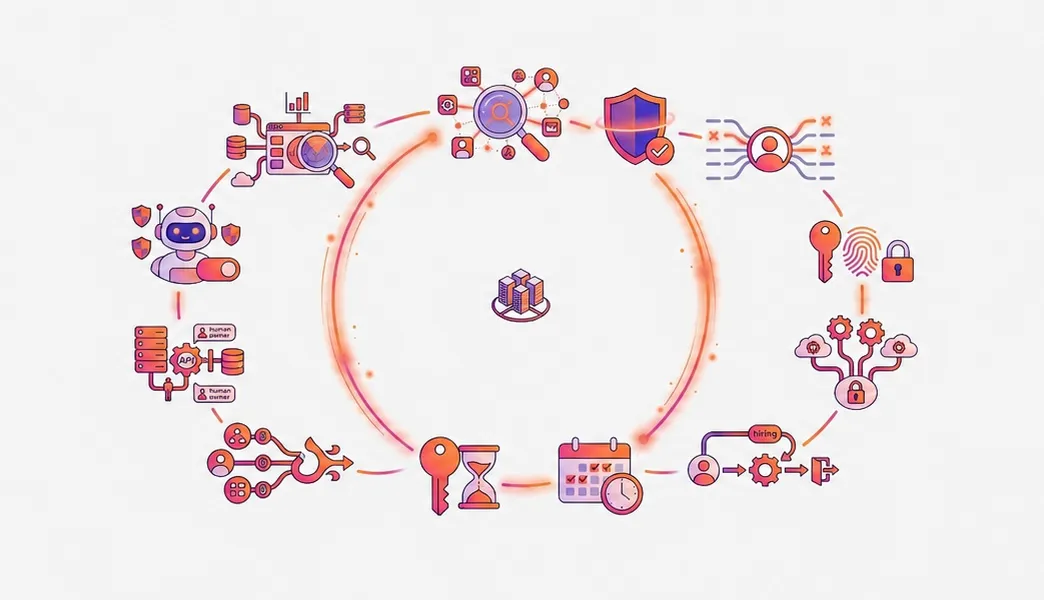
Twelve practices, one throughline. You can't hand-govern an environment that changes every day, so almost every practice here comes down to the same move, letting the work run itself instead of running you. Discovery shows you the whole field. Zero trust, least privilege, MFA, and SSO set the rules. Lifecycle automation, continuous reviews, just-in-time access, and self-adjusting policies enforce those rules without a person in the loop. And governing your machine and AI agent identities closes the gap the old checklists left wide open.
Where does your program sit today?
- Manual. Access lives in spreadsheets and tickets, reviews change nothing, and standing access is everywhere.
- Automated. SSO, MFA, and lifecycle workflows run on their own, and reviews happen on a schedule.
- Autonomous. Reviews are continuous and delta-based, policies refine themselves as the org changes, machine and agent identities are governed alongside people, and humans weigh in only on the exceptions.
Two questions place you on the map. How long does your last access review take, and what changed because of it? And when the org chart moves, do your policies follow on their own, or does someone open a ticket?
The benefits of identity access management show up in a single decision, how much of this your people should still touch by hand, and that decision gets more expensive to put off every quarter.
Lumos was built to make that choice easy. It discovers every app and identity across your environment, human and machine, automates the full joiner-mover-leaver lifecycle, runs delta access reviews that cut review cycles by 90%, and keeps policies right-sized on their own as your org changes. It deploys 7x faster than legacy IGA, at 80% lower cost of ownership. Roku cut time-to-access by 98%, and Pluralsight went from reviewing 20 apps in two months to 200 in two weeks. See what Lumos can do for your access in a demo, and find out how much of your week it hands back.
Give your team the right access, right when they need it
Request a demo to see how Lumos can help you automate access requests, streamline provisioning, and remove unnecessary permissions across your organization.






Don't let any identity become your next breach.
Govern every human, machine, and AI in your business with a free identity assessment today.
Book a Demo
The autonomous identity platform. Agents that continuously govern access for every human, machine, and AI.