
The Identity and Access Management Checklist For Every Identity You Govern
Nov 13, 2026
An identity and access management checklist confirms each identity is listed, owned, and removed on time. Get seven checks that still hold for AI agents.

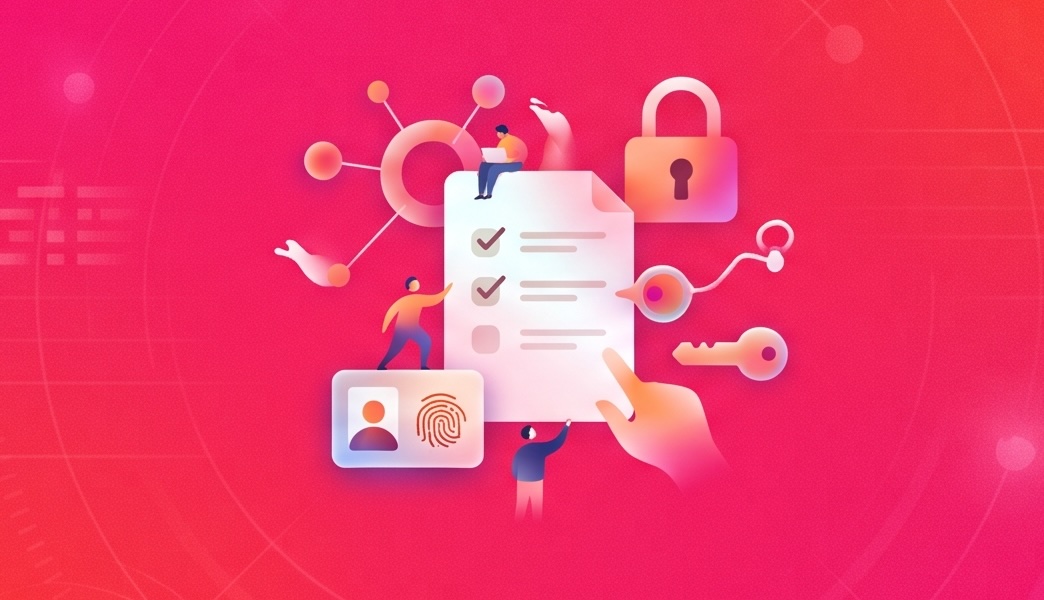
Your IAM checklist came back green. Your apps sit behind SSO, MFA is on for all employees, leavers lose access the day HR closes their record, and last quarter's access reviews are signed. Then the auditor asks for the service accounts that can reach the finance app, who owns each one, and which contractors still have access, and nothing on your checklist covers any of it.
An identity and access management checklist is a set of checks that confirms every identity, human or machine, is known, owned, rightly scoped, and removed when its reason ends. Most checklists fall short of that definition because they're written for the people in your HR platform (HRIS). Provisioning on hire, removal on termination, and a quarterly manager review all assume a manager, a start date, and an end date.
At Lumos, we think the same seven checks belong on employees, contractors, service accounts, and AI agents alike, because a checklist built for employees passes while everything else sits outside it. The full checklist comes first as one grid. Each check after it covers where that check usually fails, and the last section sorts the checks a platform should run for you from the ones that still need a person.
The identity and access management checklist at a glance
Run seven checks across four kinds of identity, and the cells you can't fill show where your identity and access management program stops. For most teams, that's the three columns to the right of employees.
Fill each cell with the date of the data that proves it, and treat any cell you can only answer from memory as empty. Try it on your five most sensitive apps and count the blanks by column. Each row maps to IAM controls your auditors already test, and most programs fill the first column and stop there.
A September 2026 audit by New York's State Comptroller shows what the empty columns hold. Auditors reviewed the 669 enabled accounts outside the student population at the Lawrence Union Free School District and found 250 that should have been disabled or removed: 162 belonged to former employees, third-party providers, and consultants, and 88 were service accounts. The district's IT team lead watched accounts for unusual activity, but no process checked whether each one was still needed. In its response, the district committed to one account policy covering employee, contractor, third-party, shared, and service accounts.
Watching for odd activity and confirming that an account still has a reason to exist are two separate checks, and only the first was running. In August 2026, we organized a Lumos release around one governance model for every identity: service accounts got a beta inventory with owners, and access changes across the product started running on one shared workflow model.
The sections below take the grid one row at a time. Each starts from the row's pass condition and spends its words on the column where that check usually breaks.
1. Match every account to a source and close orphaned accounts
Each account in each app should match the person, contract, or workload it exists for. The ones that match nothing are your orphaned accounts. Each belongs on a list with someone assigned to it.
Employees are the easy column, since the HRIS supplies the match. The other three need a source you have to name yourself: the contract or vendor list that brought a contractor in, the platform or team that created a service account, and the person and tool an agent acts for. Most unmatched accounts come from local logins outside SSO, accounts an app admin created by hand for a contractor, service accounts in on-premises directories, and OAuth grants an agent picked up along the way.
Matching only works on accounts you can see, and many of them never pass through your identity provider (IdP). Lumos inventories accounts across more than 300 integrations. Its Active Directory connector, in beta, adds on-premises service accounts and computer accounts, including which ones sit in groups like Domain Admins.
Matching also starts with knowing which apps exist. Pinterest built a company-wide software inventory on Lumos. Roger Lim at Pinterest describes it as "the de facto software inventory for the entire company." It serves more than 8,000 employees, who use it to find the apps their roles need.
The check passes on an export of each app's accounts, each joined to a source and dated this quarter. Run that export for your five most sensitive apps, then give each unmatched account a person and a deadline.
2. Give every identity a named owner, service accounts included
An identity passes this check when a person answers for it, and anything without an HR record needs that person written down where your tools can read it. Employees pass by default, because the HRIS names a manager. Contractors need an internal sponsor, usually the employee who brought them in, since the vendor's account manager can't approve or remove access in your apps. The sponsor also knows when the work ends, which is what makes check 6 possible for contractors.
Machine identities are where this check fails. Service accounts, API keys, and agents need a named human owner, and that ownership has to move when the person leaves. In every enterprise we've analyzed, 95% or more of non-human identities have no assigned owner. Gianni Aiello, our Head of Product, puts the rule plainly: "Every non-human identity traces back to a human or a team."
Owners don't have to come from a spreadsheet someone keeps by hand. Lumos continuously discovers service accounts, agents, and workload identities across your IdP, cloud infrastructure, and SaaS apps and maps each one to a human owner, based on where it was created, what it reaches, and which team uses it. For new agents, the Agent Ownership Finder, one of our AI agents, assigns an owner before the agent starts work.
The owner is the first of three fields an automated non-human identity lifecycle reads, alongside a reason and an end date. Without it, every later step has nobody to ask. Write an owner beside each non-human identity in your five most sensitive apps and a sponsor beside each active contractor, then count the blanks.
3. Put every sign-in behind SSO and MFA or short-lived credentials
Each identity should authenticate through a path you can see, change, and shut off. Employees are closest to passing, since they should already sign in through SSO, ideally with phishing-resistant MFA. Contractors should use the same identity provider, with no shared logins and no accounts the vendor manages for you. Shared logins are the usual failure, because a password passed around a vendor team outlives the people who knew it.
Machines need a path of their own. Service accounts should use short-lived credentials or workload identities, with no long-lived keys in scripts and no human passwords. For agents, AI identity and access management starts from one rule: an agent acts on one named person's delegated access, and no agent runs on a shared API key or a key issued under someone's personal account.
The riskiest agent credentials are keys that never expire and keys that belong to one person. A Lumos connector for one AI platform's console, in beta, inventories that platform's agents, service accounts, and API keys and flags both kinds.
Pull the never-expiring credentials from your cloud and AI platform consoles, plus the shared logins in your SaaS apps. Each one gets an owner and an expiry, or a replacement, this quarter.
4. Tie every access grant to a policy or an approval
A grant passes this check when it traces to a policy or an approval, with a date, and you can produce that trail without searching a chat thread. Four reasons hold up: a birthright policy, an approved request, a time-bound exception, or, for a non-human identity, the purpose recorded when it was created. Access copied from a teammate fails, because it carries the teammate's history and no reason of its own.
Contractor access is the easiest to grant informally. Make the sponsor from check 2 the approver, and hold each grant to the contract's scope.
A request should leave the same trail whichever door it comes through. In the Lumos AppStore, people request access on the web, in Slack or Teams, from a CLI, or through an IT service management (ITSM) tool. A request made in Slack runs through the same approval workflow and audit trail as one made on the web, and someone on your service desk can assign a Jira Service Management ticket to Lumos, which links the ticket, the request, and the approval in one record.
Chegg, a public company with more than 2,500 employees and contractors, needed approvals it could trace in audit logs for SOX. Its IT team set up a framework that lets managers and business units approve requests directly, so IT no longer sits between requesters and approvers, and audit logs track each request.
Pull 20 grants from last quarter in your SOX apps and trace each one to a policy or an approval with a date. Start with admin grants, where a missing reason costs the most, and treat each grant you can't trace as a finding.
5. Enforce least privilege access down to the entitlement
Access passes this check when each entitlement an identity holds matches the work it does today, down to the role, permission set, or license tier inside each app. For employees and contractors, admin rights and leftovers from past roles are the first place to look. For service accounts, compare granted scopes with what the workload calls. Agents inherit the access of the person behind them, so an oversized person means an oversized agent, and an admin's agent can make admin changes at machine speed.
Write the rule as a number wherever you can, such as admins per app or days unused before review, because a number can be checked every day. The roles behind those numbers should follow how people work now, and Lumos's Role Mining Agent learns how teams use access and drafts roles from it.
Roku allowed two global admins per application, a limit that supported its SOX compliance and was difficult to enforce. With Lumos, Roku could see who used which apps and at what license tier, and it could enforce the two-admin rule. A two-admin rule is a check. "Least privilege" in a policy document is a hope.
For your five most sensitive apps, write the admin limit down as a number. Then count today's admins against it.
6. Automate deprovisioning when the reason for access ends
Access should end when its reason does, and only employees get that end from an HR record. An employee's access ends with the HRIS departure, in each app at once, and a move should end the old role's access too. Departing employees have a sequence of their own, which the employee offboarding checklist walks through step by step.
The other three columns need their end set when access is granted. A contractor's access needs the contract's end date on record, since no HR event will ever arrive. A service account needs a retirement trigger (the project, the vendor contract, or the workload it serves) or an inactivity window measured against its longest job cycle, and an agent's access should end with its task, ideally through a grant scoped to that task that expires on its own.
People your HRIS doesn't hold can still get an end date. Lumos time-bound lifecycle policies provision and revoke access on a defined schedule for temporary workers, on-call staff, and interns. A manual deactivation starts the same leaver workflow a termination does, revoking access across SaaS, cloud infrastructure, and internal tools.
Checkr gives time-based access to apps whose usage it can't see well, such as access for a month-long project. It also runs an inactivity workflow that reclaims licenses that have sat unused for 90 days.
Find each contractor whose access has no end date in any app. Set each one to the contract's end date this week.
7. Run user access reviews that cover every identity
An access review passes this check when its population includes all four kinds of identity and each rejected grant comes off with a record that proves it. Coverage follows ownership: employees route to their managers, contractors to their sponsors, and service accounts and agents to the owners from check 2. An identity with no owner has nobody to route to, so it drops out of the campaign without anyone deciding to leave it out. Any user access review checklist should start by listing the review population by identity type.
Auditors' criteria are heading toward agents too. In October 2026, the AICPA proposed updated SOC 2 Trust Services Criteria that add AI-related points of focus across existing criteria. According to A-LIGN's summary of the draft, the proposed access control criterion asks that access control structures consider AI agents and robotic process automation, and that AI accounts that don't need access get reviewed periodically. Points of focus aren't requirements, the draft is open for comment until January 15, 2027, and if it's approved, the criteria apply to engagements beginning on or after December 31, 2027.
The removal half is where reviews fail quietly. A checked box in the review tool records a decision, and only the app can show that the access is gone, so the evidence has to come from the app, with a date.
Removals an auditor can read start with reviews that see into each app. Lumos user access review software runs reviews on entitlement-level data across your IdP, HRIS, ITSM, SaaS, cloud, and on-premises apps. Rejected access is revoked automatically, and reviewers can attach evidence to each removal by file, link, or a linked ITSM ticket.
If your review is a SOX control, the SOX compliance checklist covers what else auditors test there. Before your next campaign, count the service accounts and agents in its population, and if the count is zero, add each one that got an owner in check 2.
Which IAM checks to automate
Most of these checks have to run continuously to stay true, so a platform should run them and hand people the decisions that need judgment. An IAM audit checklist that a person works through once a year proves one day, and auditors sample the whole period.
The person column should shrink as the grid fills in. Once each identity has an owner, a reason, and an end date, what still reaches a person is mostly a real decision. Until then, each unowned account lands in someone's queue as a question nobody can answer.
In Lumos, that division of labor runs through the Identity Agent Force, a set of AI agents that work inside the policies, guardrails, and approval thresholds you set. Its Access Review Agent runs reviews end to end, certifies safe access, and brings people only the items that need a human call.
Most access requests at Intercom are self-service under policies set by app and role, with low-risk requests granted at once and sensitive ones sent through a short approval. With rule-based access reviews, IT handles about 90% of reviews and escalates the true exceptions to app owners.
Mark each of the seven rows "platform" or "person" for your program today. Any row a person still runs by hand every quarter is the first one to automate, and the first one to put on the roadmap in your identity and access management strategy. Start with check 1, since each later row reads from the inventory.
Run your IAM checklist on every identity
Service accounts and agents keep multiplying, and the criteria auditors test are starting to name agents outright. A checklist that stops at the HRIS covers less of your access every quarter.
This month, fill in the grid for your five most sensitive apps and name an owner for each blank. This quarter, give each contractor an end date and put service accounts and agents into your next review. Your next audit finding won't come from the column you already fill. It'll come from the ones you left blank.
Lumos inventories accounts across your apps, maps service accounts and agents to owners, and gives access requests one approval trail. It ends access on schedule for people your HRIS doesn't hold, and its access reviews run on entitlement-level data across your connected apps and remove what's rejected, with agents doing the repeat work and your team making the calls. Book a demo and fill in the grid against your own apps.
Give your team the right access, right when they need it
Request a demo to see how Lumos can help you automate access requests, streamline provisioning, and remove unnecessary permissions across your organization.
FAQ

An identity and access management audit checklist should include the evidence an auditor will sample for the period under review. That means the account population by identity type, an owner per account, approval records for sampled grants, MFA configuration, the privileged account list, departure evidence, and review records with completed removals. A user access management audit checklist works the same way, with each item dated inside the audit period. Running the identity and access management audit itself, from inventory through remediation, follows seven steps of its own.
Run the checks a platform handles continuously, and run the decisions a person makes on the cadence your policy sets and your auditors test. Inventory matching, expirations, and removals should happen as access changes, since a quarterly snapshot goes stale within days. Reviews of privileged and audit-scoped apps usually run more often than reviews of everything else. To see whether each check holds between runs, track it with identity and access management metrics that each have an owner and a trigger.
Yes, an IAM checklist should cover AI agents, because an agent acts with access it inherits from a person or is granted directly and needs the same checks as any other identity. Put each agent in the inventory, give it a named human owner, record the task or scope behind its access, and set an end condition. Include agents in the same review campaigns as people, with each agent's owner reviewing, and look hardest at agents that keep standing access between tasks.
IAM best practices describe how a program should work. An IAM checklist confirms, from dated data, whether yours works that way today. Practices such as least privilege and continuous reviews tell you what to build, and each check tells you whether you built it, for which kinds of identity, and as of which date. Use the identity and access management best practices to shape the program, then run the checklist every quarter to test whether the program still holds.


Frequently Asked Questions
What should an identity and access management audit checklist include?
An identity and access management audit checklist should include the evidence an auditor will sample for the period under review. That means the account population by identity type, an owner per account, approval records for sampled grants, MFA configuration, the privileged account list, departure evidence, and review records with completed removals. A user access management audit checklist works the same way, with each item dated inside the audit period. Running the identity and access management audit itself, from inventory through remediation, follows seven steps of its own.
How often should you run an IAM checklist?
Run the checks a platform handles continuously, and run the decisions a person makes on the cadence your policy sets and your auditors test. Inventory matching, expirations, and removals should happen as access changes, since a quarterly snapshot goes stale within days. Reviews of privileged and audit-scoped apps usually run more often than reviews of everything else. To see whether each check holds between runs, track it with identity and access management metrics that each have an owner and a trigger.
Should an IAM checklist cover AI agents?
Yes, an IAM checklist should cover AI agents, because an agent acts with access it inherits from a person or is granted directly and needs the same checks as any other identity. Put each agent in the inventory, give it a named human owner, record the task or scope behind its access, and set an end condition. Include agents in the same review campaigns as people, with each agent's owner reviewing, and look hardest at agents that keep standing access between tasks.
What's the difference between an IAM checklist and IAM best practices?
IAM best practices describe how a program should work. An IAM checklist confirms, from dated data, whether yours works that way today. Practices such as least privilege and continuous reviews tell you what to build, and each check tells you whether you built it, for which kinds of identity, and as of which date. Use the identity and access management best practices to shape the program, then run the checklist every quarter to test whether the program still holds.



Don't let any identity become your next breach.
Govern every human, machine, and AI in your business with a free identity assessment today.
Book a Demo
The autonomous identity platform. Agents that continuously govern access for every human, machine, and AI.